
The Salo Forge
Forge app icon

Forge

Show up today. Build your streak.

Choose something worth doing, for 1 to 365 days, every day, on weekdays or at weekends. Log it once a day and Forge keeps count.

Free · iPhone and Apple Watch · English and Ukrainian

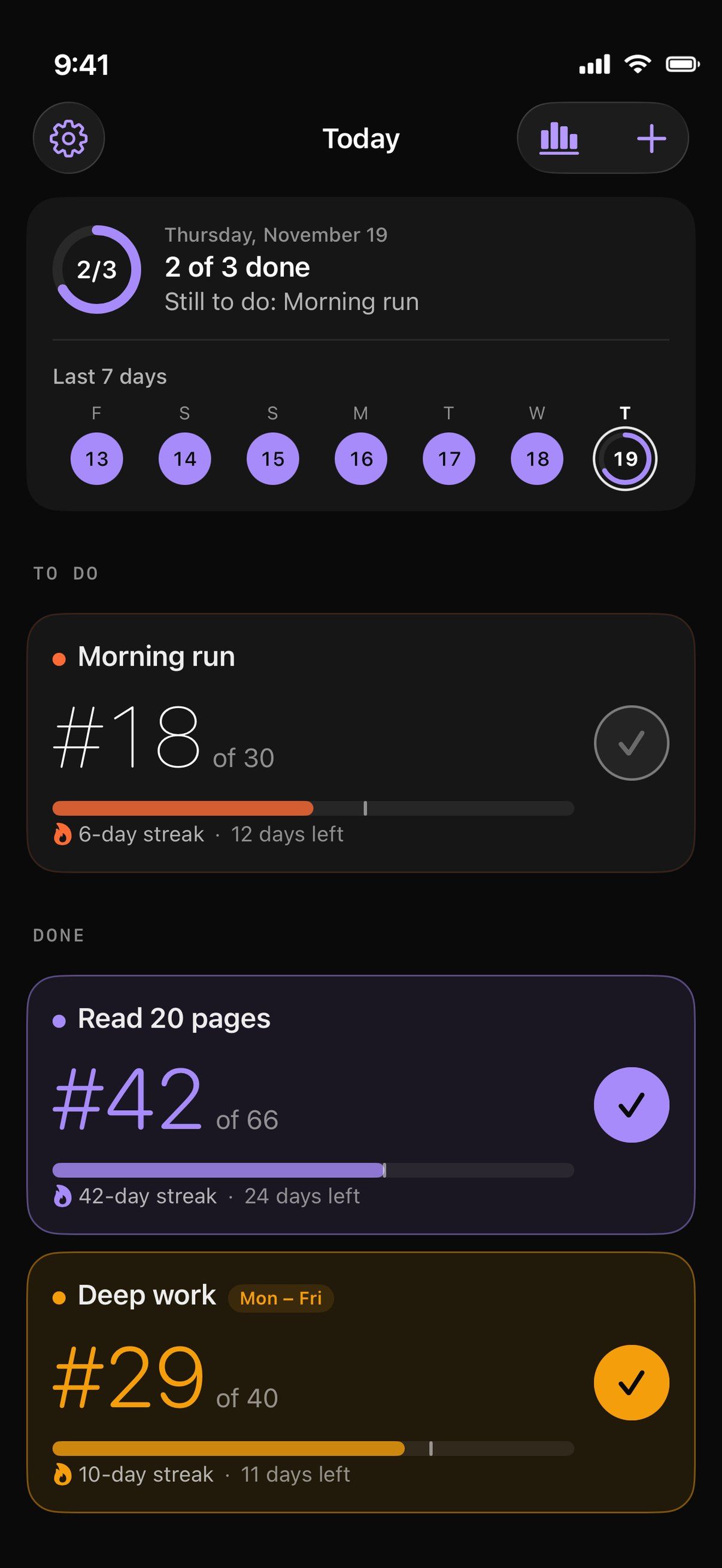
Forge's Today screen on Thursday, November 19: 2 of 3 done, Morning run still to do, the last seven days, and three challenges with their day number, streak and days left
One challenge, one check a day. The number does the rest.

Every challenge has a length and a schedule. Each day you log it, its day number goes up, #18 of 30, and your streak grows.

Days that aren't on the schedule are rest days, so a weekday challenge's weekends never break a streak.

Late nights count. Until 1 AM, a log still counts for the day before. Missed a day? Log it later from the calendar.

How it works

Swipe for the next step
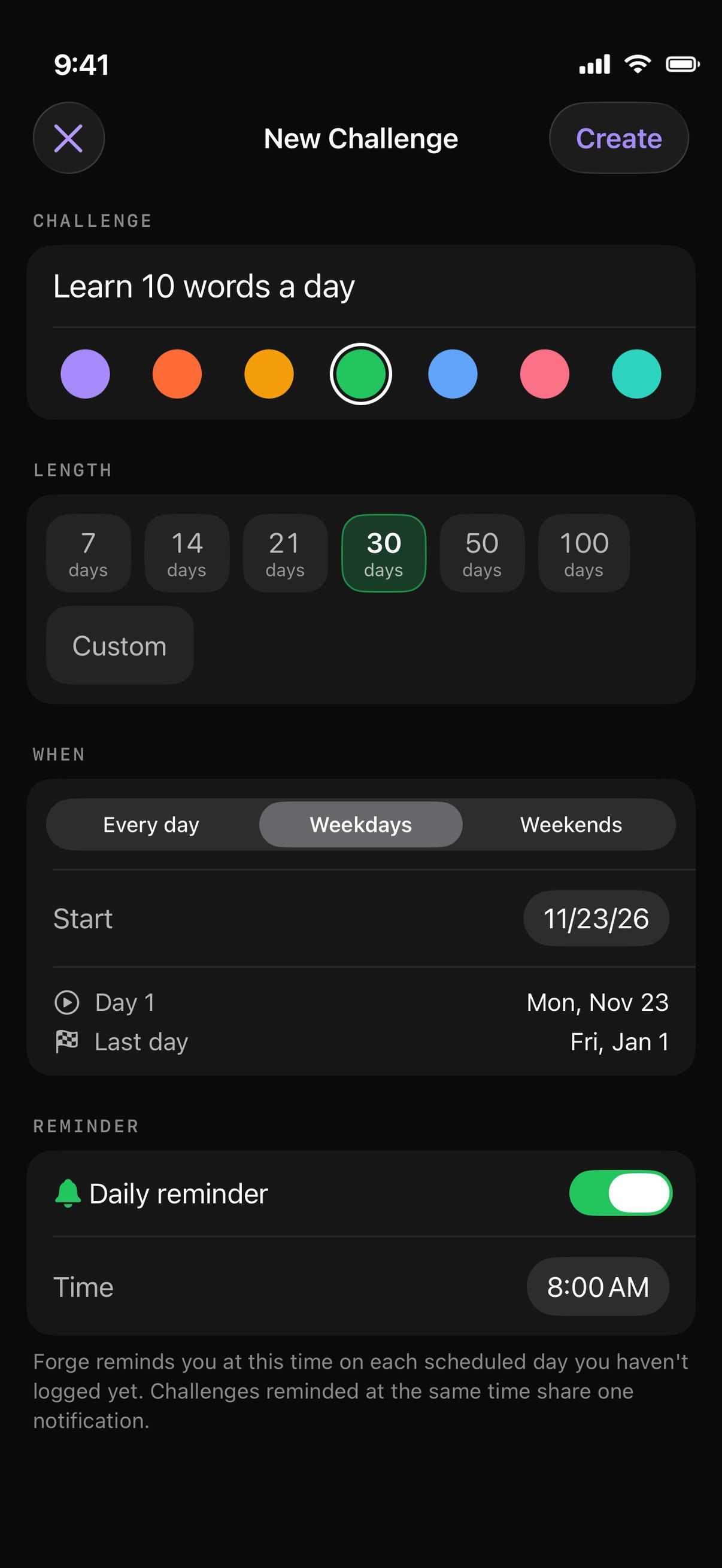
  1. New Challenge: Learn 10 words a day, 30 days on weekdays from Monday, November 23 to Friday, January 1, with a daily reminder at 8:00 AM

    Create a challenge

    Name it, pick a colour and a length: 7 to 100 days or any number up to 365. Choose every day, weekdays or weekends, and Forge shows your first and last day before you start.

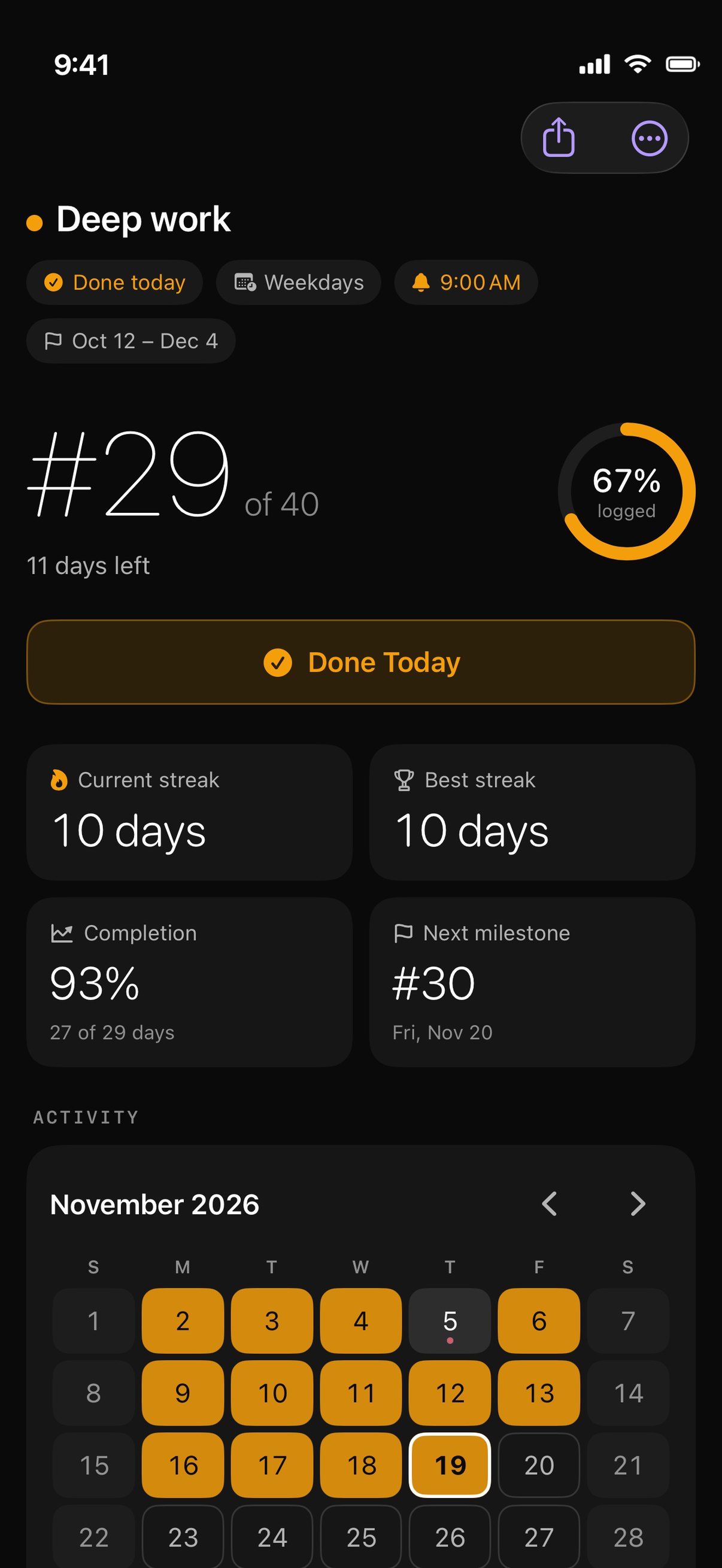
  2. Deep work, a weekday challenge: Day 29 of 40, 67% logged, a 10-day streak, next milestone Day 30, and the November calendar

    Log each day

    Tap the check once a day. Each challenge has its own screen with its streaks, completion and next milestone, and a calendar of logged, missed and rest days.

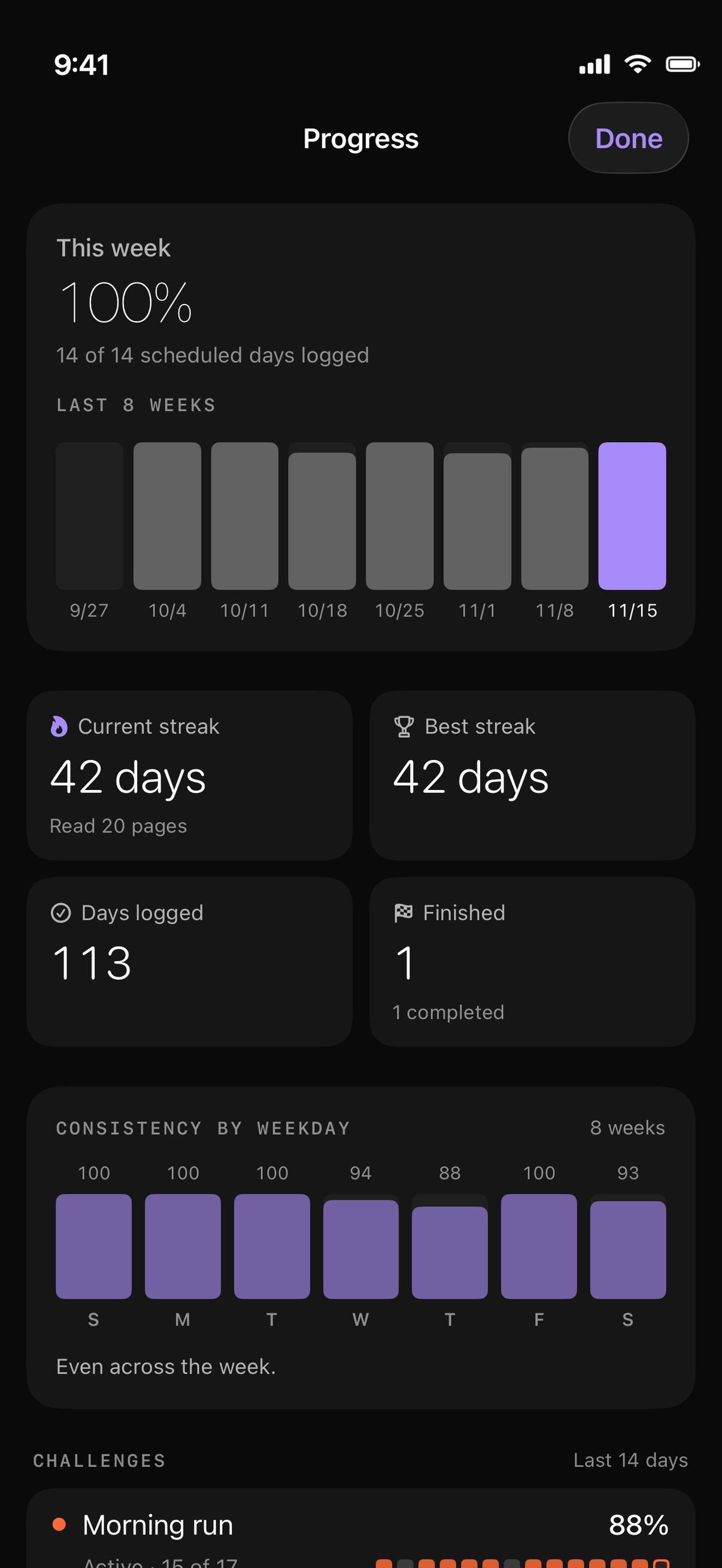
  3. Progress: 100% of this week’s 14 scheduled days logged, bars for the last eight weeks, a 42-day streak, 113 days logged and consistency by weekday

    See your progress

    This week, the last eight weeks, your current and best streaks, and which weekdays you keep up best.

What it does

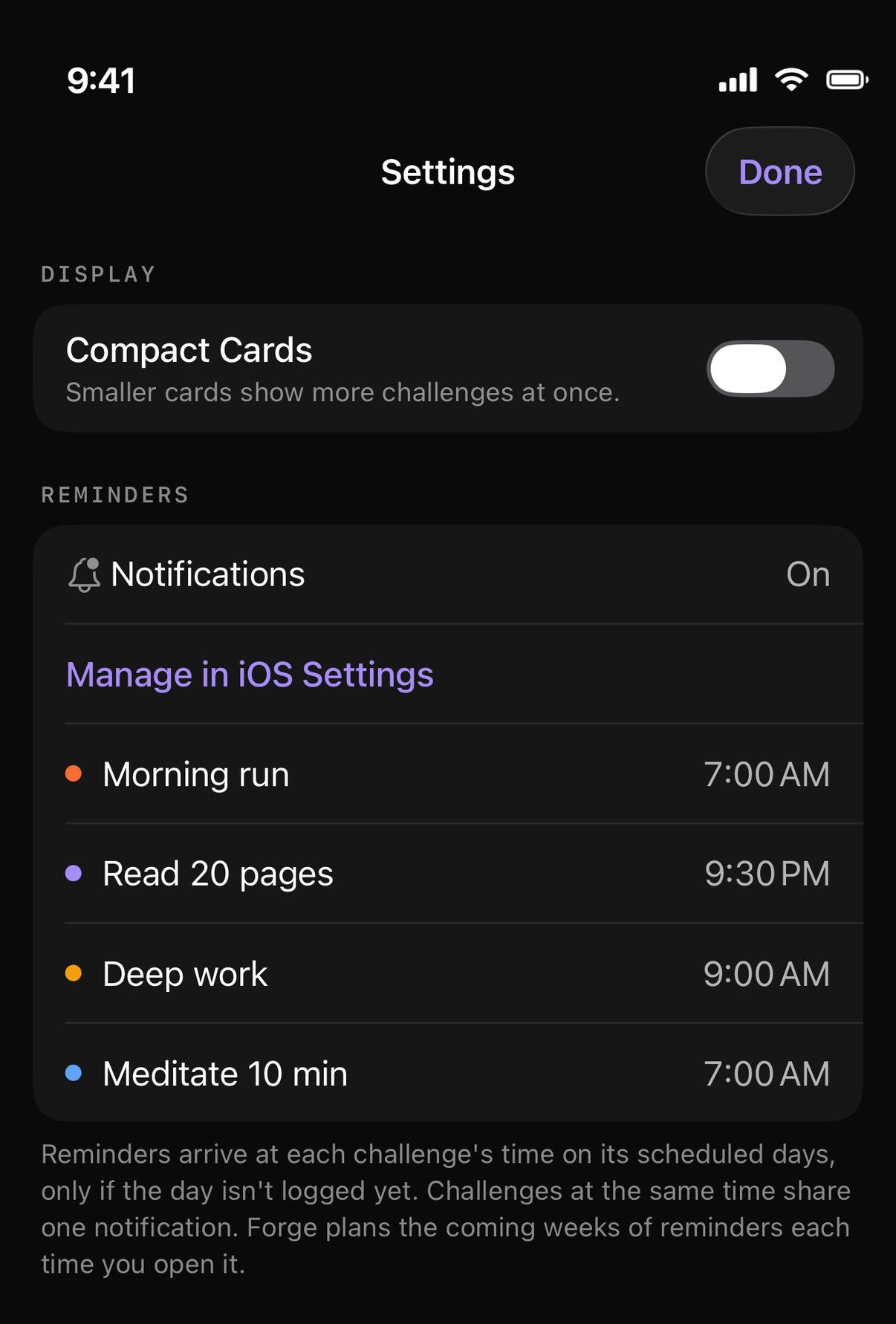
Settings: notifications on, and each challenge’s reminder time: Morning run 7:00 AM, Read 20 pages 9:30 PM, Deep work 9:00 AM, Meditate 10 min 7:00 AM

Reminders that fit your routine

Give any challenge a reminder at its own time. It arrives only on that challenge’s scheduled days, and only if the day isn’t logged yet.

Challenges at the same time share one notification. Forge asks for notification permission only when you turn the first reminder on.
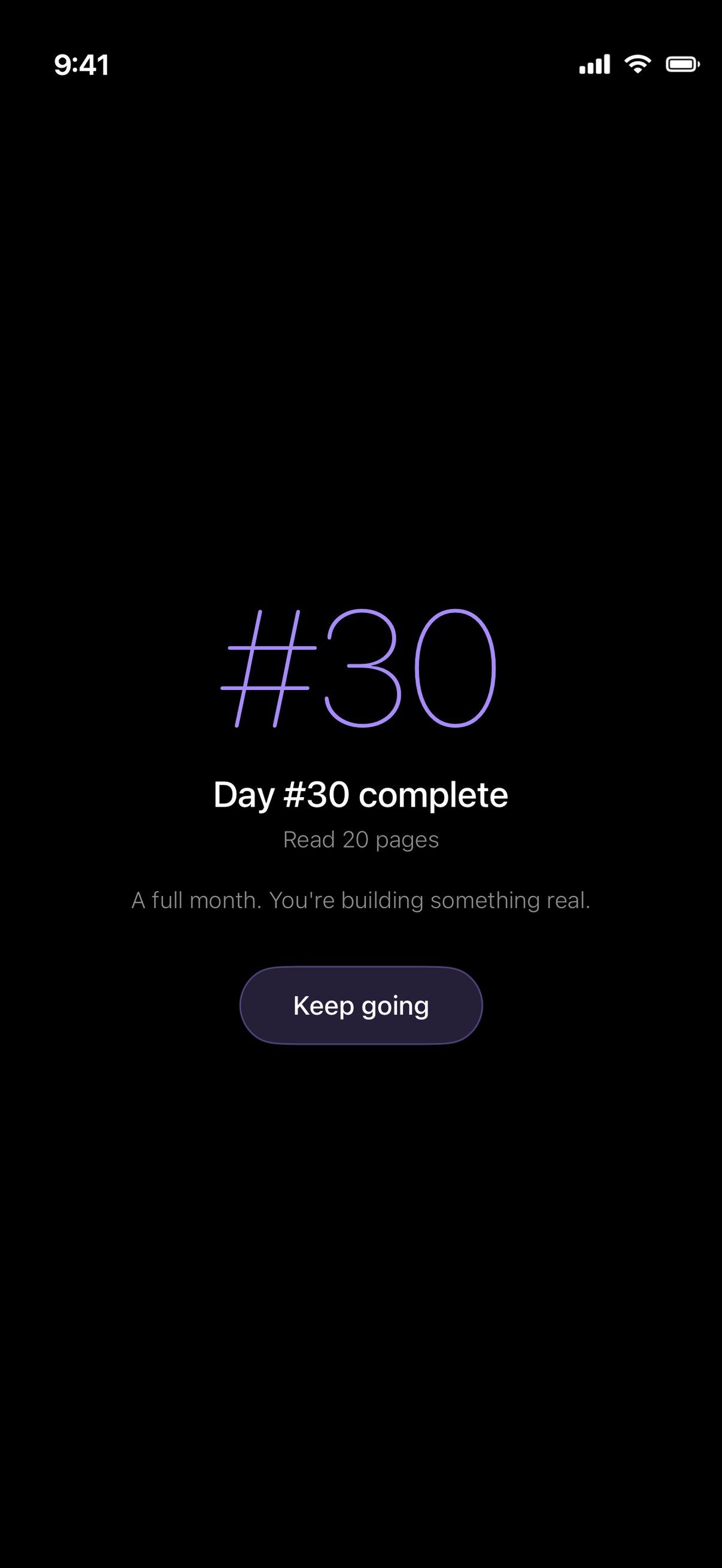
A milestone: Day #30 complete for Read 20 pages, with Keep going

Celebrate every milestone

Day 7, 14, 21, 30, 50 and 100, and the last day of every challenge, get their own moment. Each challenge shows the next one coming up.

Apple Watch

See today’s challenges with their day and streak, and mark one done from your wrist.

Widgets

Small and medium Home Screen widgets for one or two challenges, and two for the Lock Screen.

Share your progress

Share any challenge as a card with its day and streak.

Private by design

No account, no ads, no tracking. Your progress stays on your iPhone, backed up to your own iCloud.

On your iPhone
Challenges, daily logs and reminder settings are stored on your device. There is no Forge server.
Automatic iCloud backup
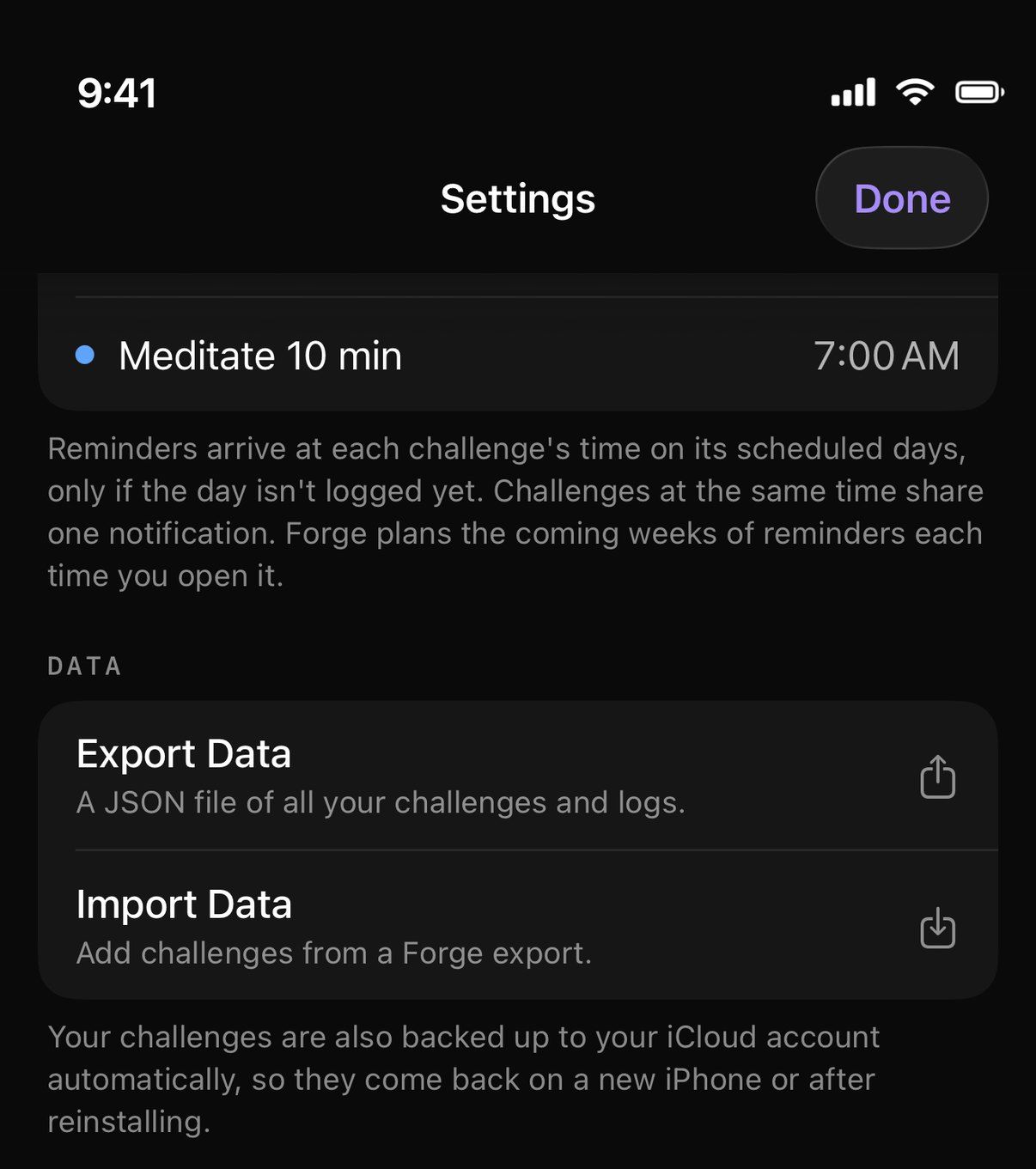
Forge backs up to your personal iCloud, so your challenges come back on a new iPhone or after reinstalling.
Export and import
Save a JSON file of all your challenges and logs whenever you like, and import it again.
Local reminders
Reminders are scheduled on your iPhone. Nothing is sent anywhere to deliver them.
Settings, Data: Export Data, Import Data, and the note that challenges are also backed up to your iCloud account automatically
iPhone
iOS 17 or later
Apple Watch
watchOS 10 or later
Languages
English, Ukrainian
Price
Free
Status
Available
Support
labs.salo@gmail.com

Forge is made by Roman Salo.